 Pressure Test Log
The job and the test object
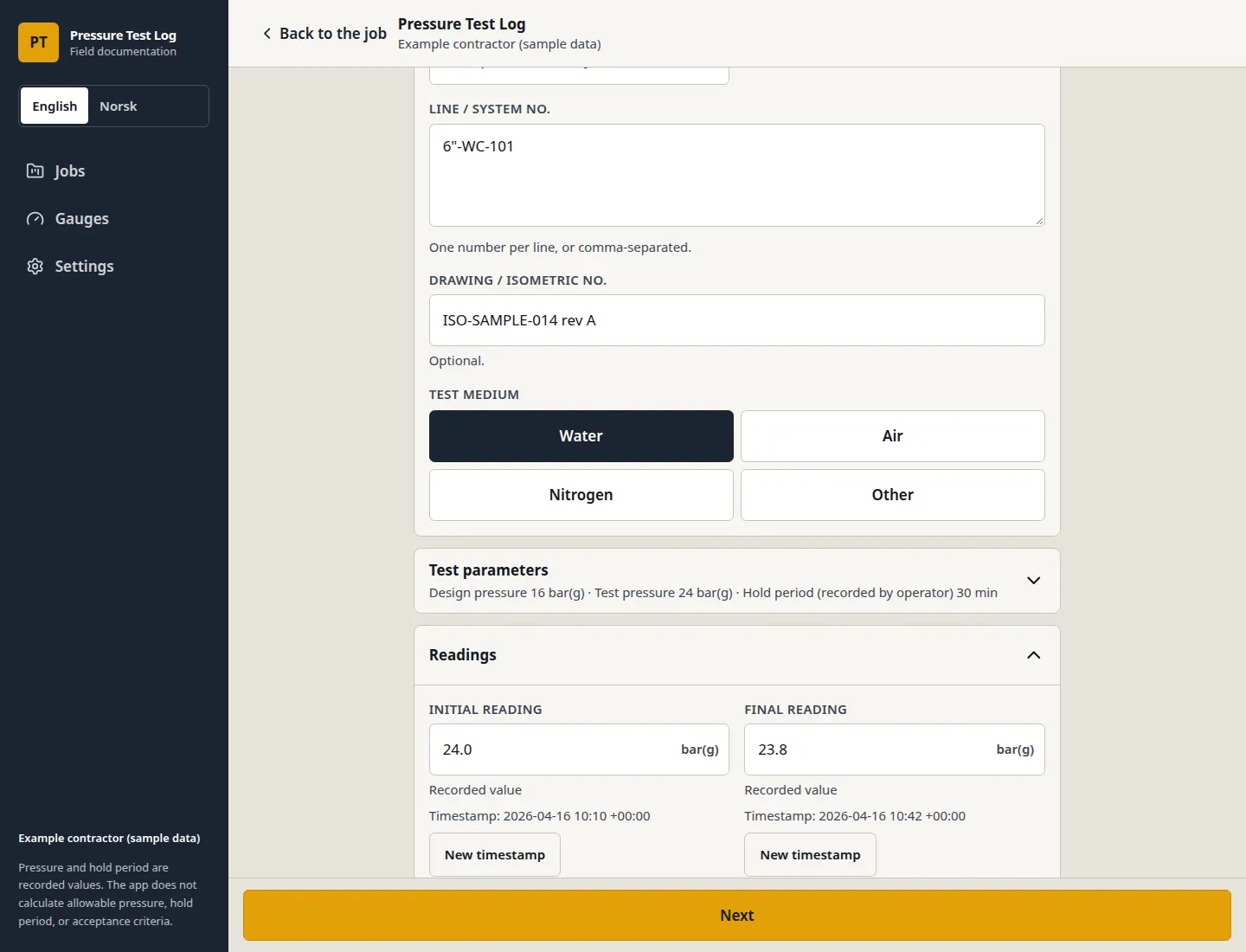
Project number, client, location, line or system number, drawing or isometric, and test medium: water, air, nitrogen, or another medium you describe.
Field documentation for pressure tests
Record test pressures, track instruments and calibration details, capture signatures, and generate traceable PDF reports — all in one simple workflow.
Pressure and hold period are recorded values. The app does not calculate allowable pressure, hold period, or acceptance criteria.
What you get
A hydrotest pack needs the line, the pressures, the gauge, the calibration reference, the evidence, and the names. Pressure Test Log keeps those in one record and prints them to a PDF.
Project number, client, location, line or system number, drawing or isometric, and test medium: water, air, nitrogen, or another medium you describe.
Design pressure, test pressure, hold period, and the initial and final readings. Each one is marked manually recorded, in the unit chosen for that test.
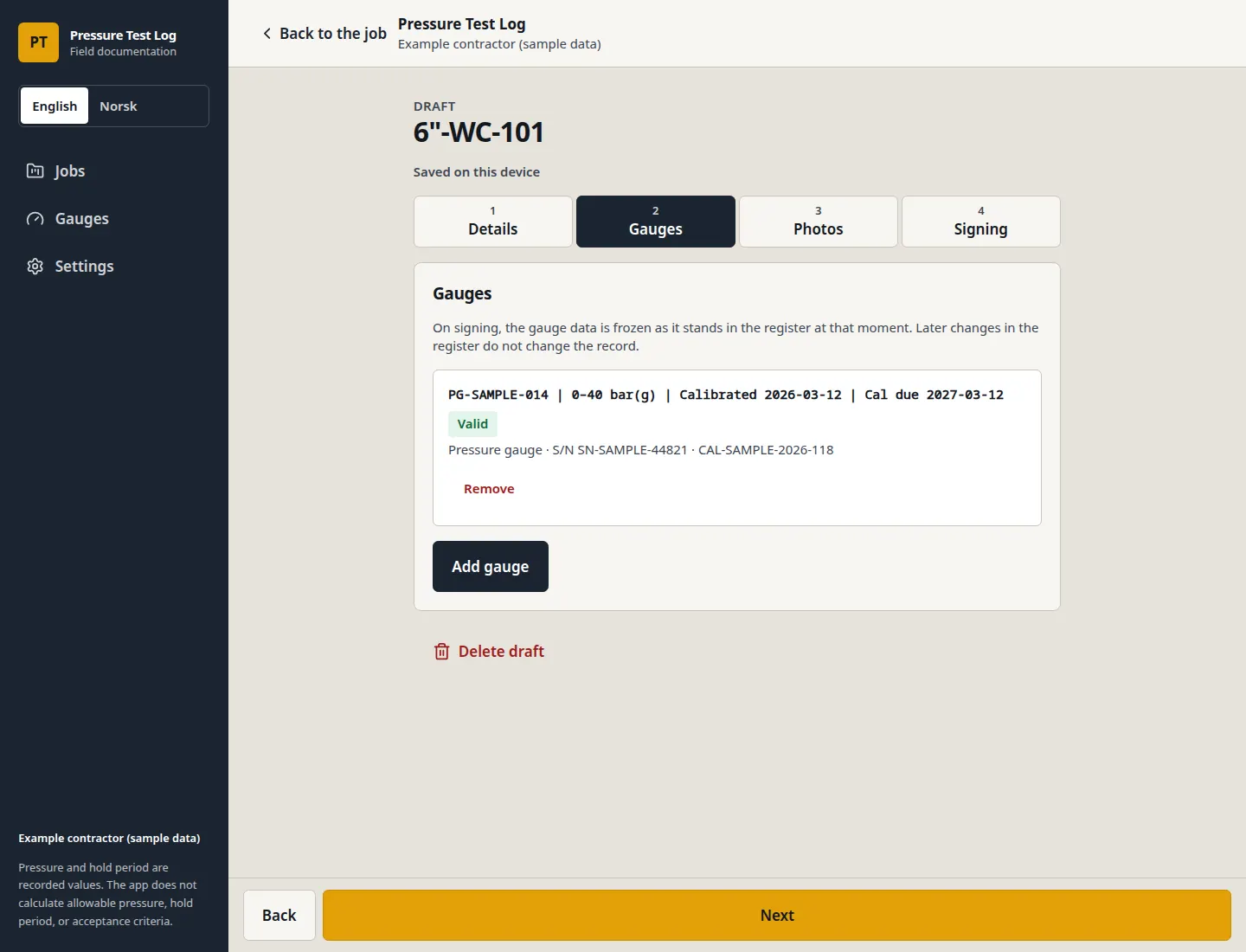
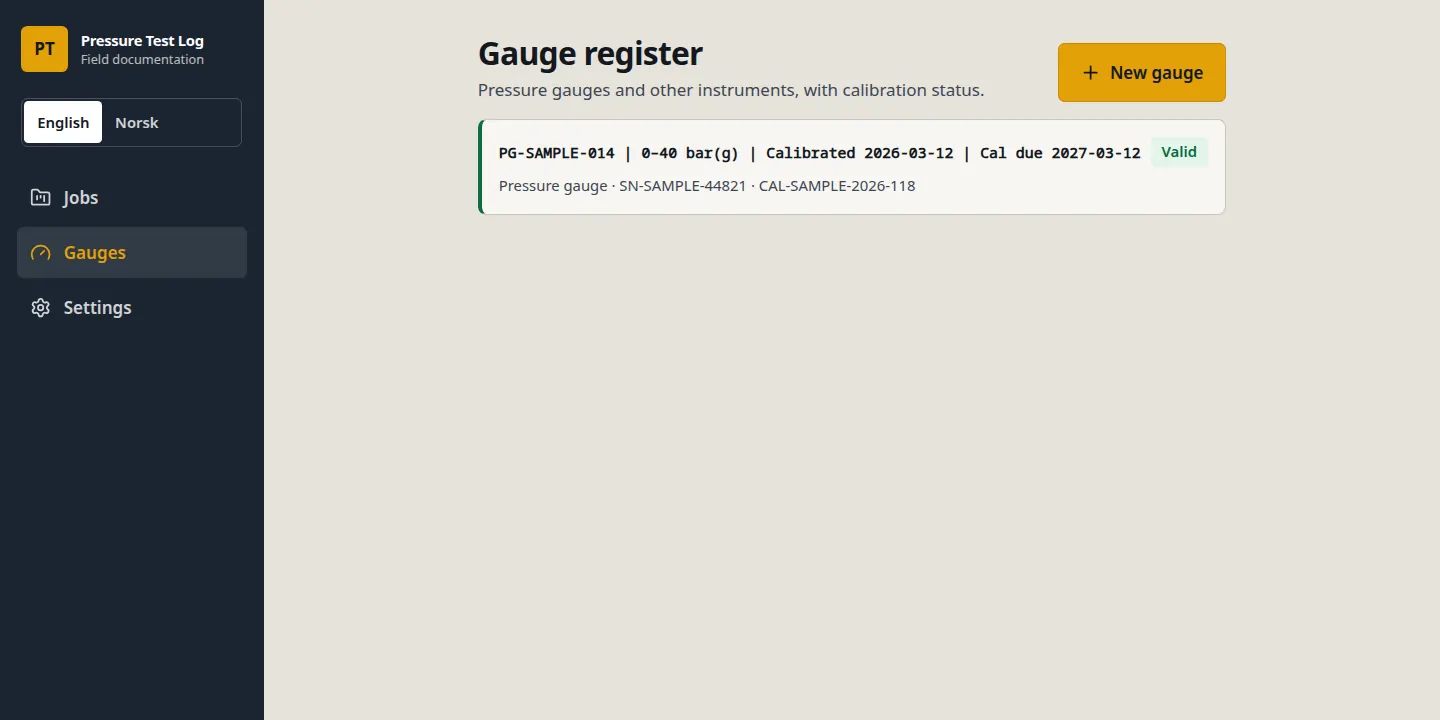
A gauge register with ID, type, range, serial number, calibration date, due date, and certificate number. Signing freezes that data into the record.
Before and after photos, an operator signature, a witness signature, and a PDF of the signed revision, with the earlier revision kept if you correct it.
The paperwork
Turnover documentation still gets assembled after the test: a paper form, a spreadsheet, photos on a phone, and a calibration certificate in an email. When someone asks for the gauge, the hold, and who signed, those pieces are easy to split.
How it works
One job can hold several pressure tests. Each test moves through the same four steps. A draft stays editable. Signing locks that revision.
Create a job for the site, then a pressure test for the line or system. Enter the medium and the pressures in bar(g), psi(g), MPa(g), or kPa(g).
Link a gauge from the register and add photos from before and after the test. Photos are compressed and stored on the device, up to four for each moment.
The person who performed the test signs, and a witness signs. Signing freezes the gauge data and the company name from settings.
Show or download the PDF in English or Norwegian. A correction is a new revision. The original signature stays.
Instruments
The gauge register holds pressure gauges, digital pressure gauges, pressure transmitters, chart recorders, or another type you name. Each entry has a range, a serial number, the calibration date, the due date, and the certificate number.
The register shows the calibration as valid, due soon, or expired. Due soon does not block signing. An expired calibration can be used on a signed record only when the operator confirms it and writes a justification of at least 10 characters. That text is locked into the record.
If the gauge unit differs from the test unit, the operator acknowledges the difference before signing. The acknowledgement records that the difference was noticed. It does not confirm the gauge is suitable for the test.
On signing, the gauge data is frozen as it stands in the register. Later edits, or removing the gauge from the register, do not change a record that is already signed.
On the test
Design pressure, test pressure, hold period, and the initial and final readings are typed in by the operator. A timestamp is set when a value is entered, and can be refreshed with New timestamp. The hold period is not calculated from those timestamps. If the recorded hold is longer than the time between the readings, the app notes it and leaves the number as entered.
Ambient temperature and test-medium temperature are optional. The result is Accepted or Rejected. A comment is required when the result is rejected.
Photos are taken before and after the test, as JPG or PNG, up to four for each moment. They are compressed and stored on the device.
Signatures are drawn on screen with a finger or stylus. The record asks for the operator’s name, the witness’s name, and the witness company. The company printed on the record is the company name from settings, frozen when that revision is signed. It is not another person, and it is not the witness.
The handover
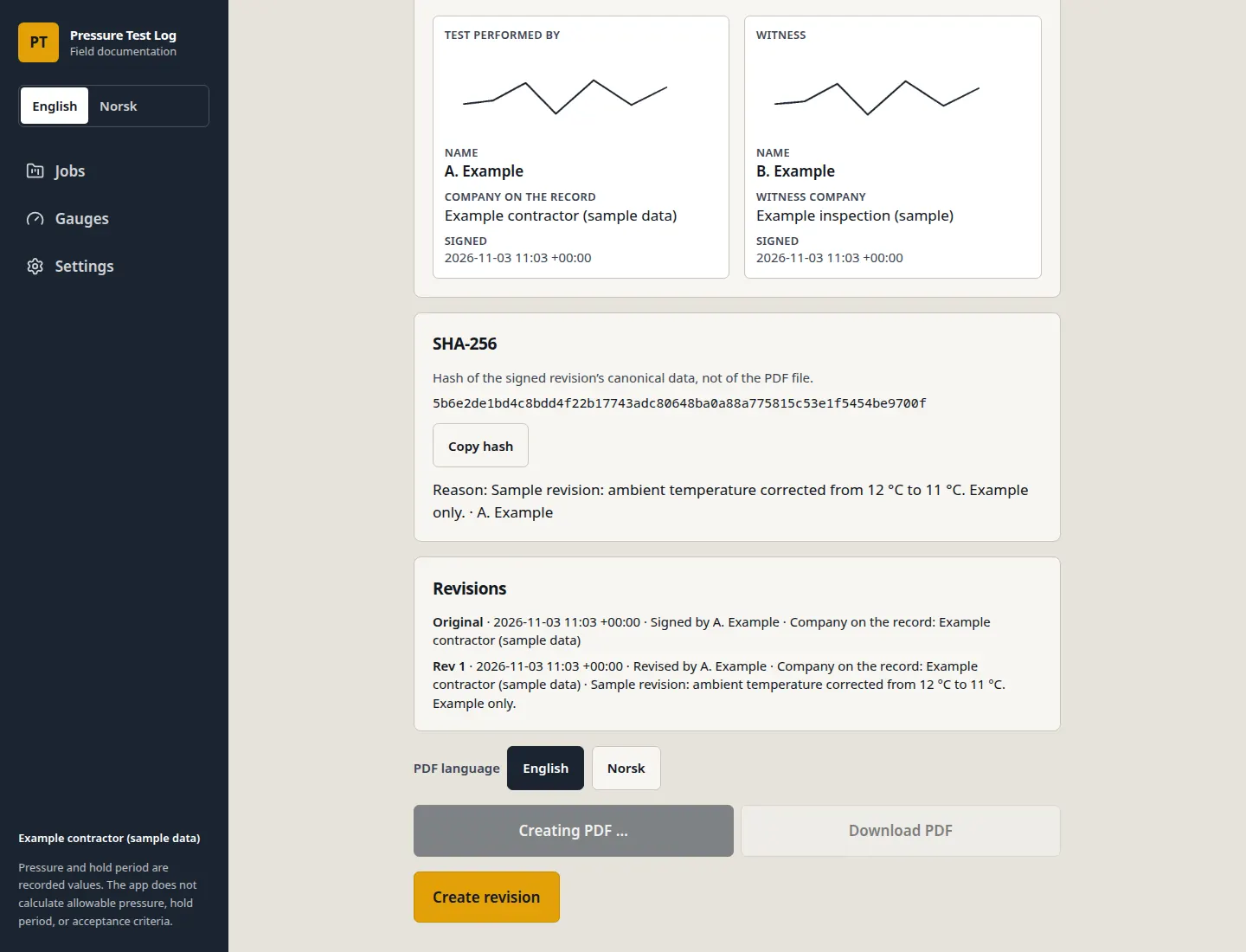
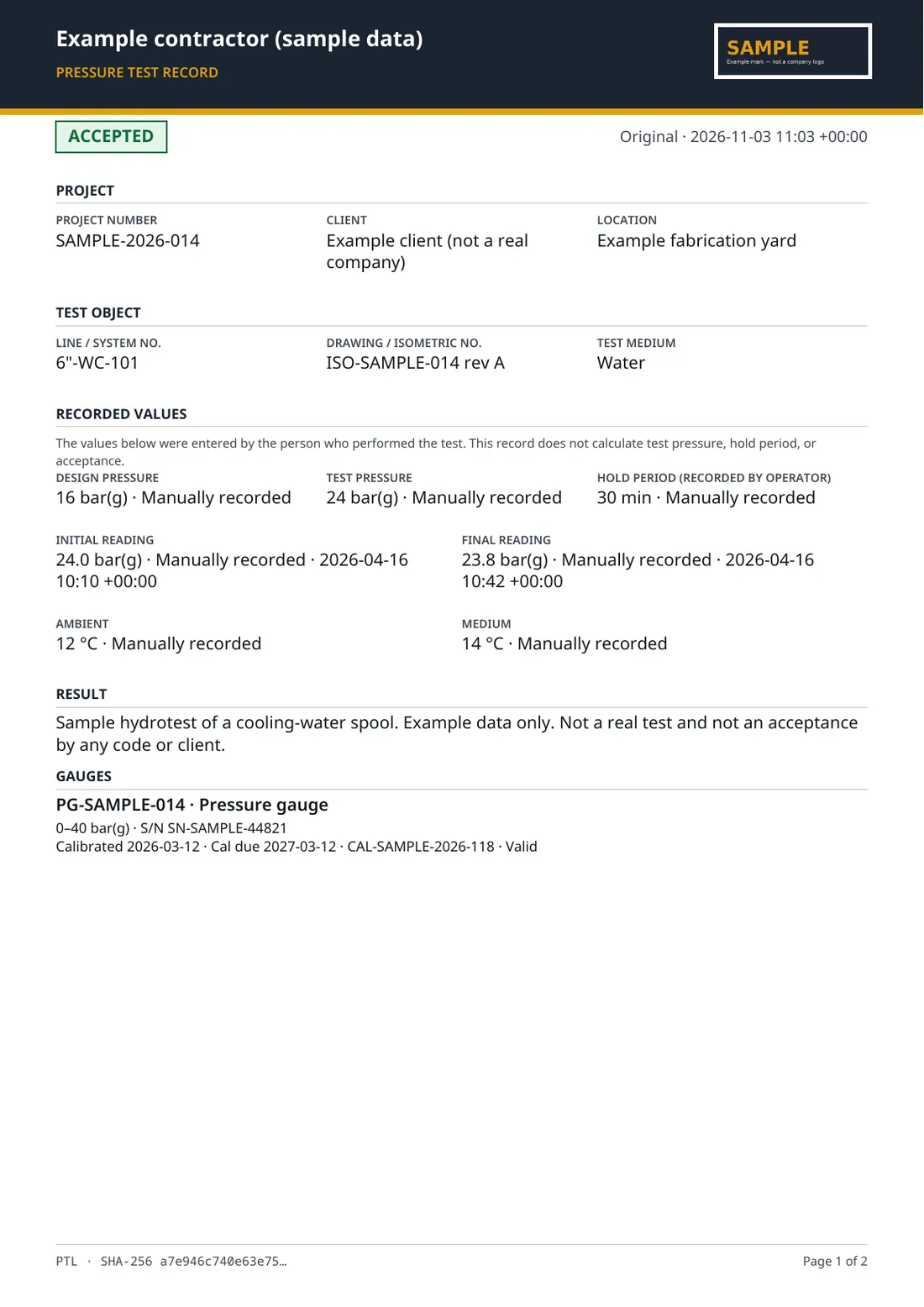
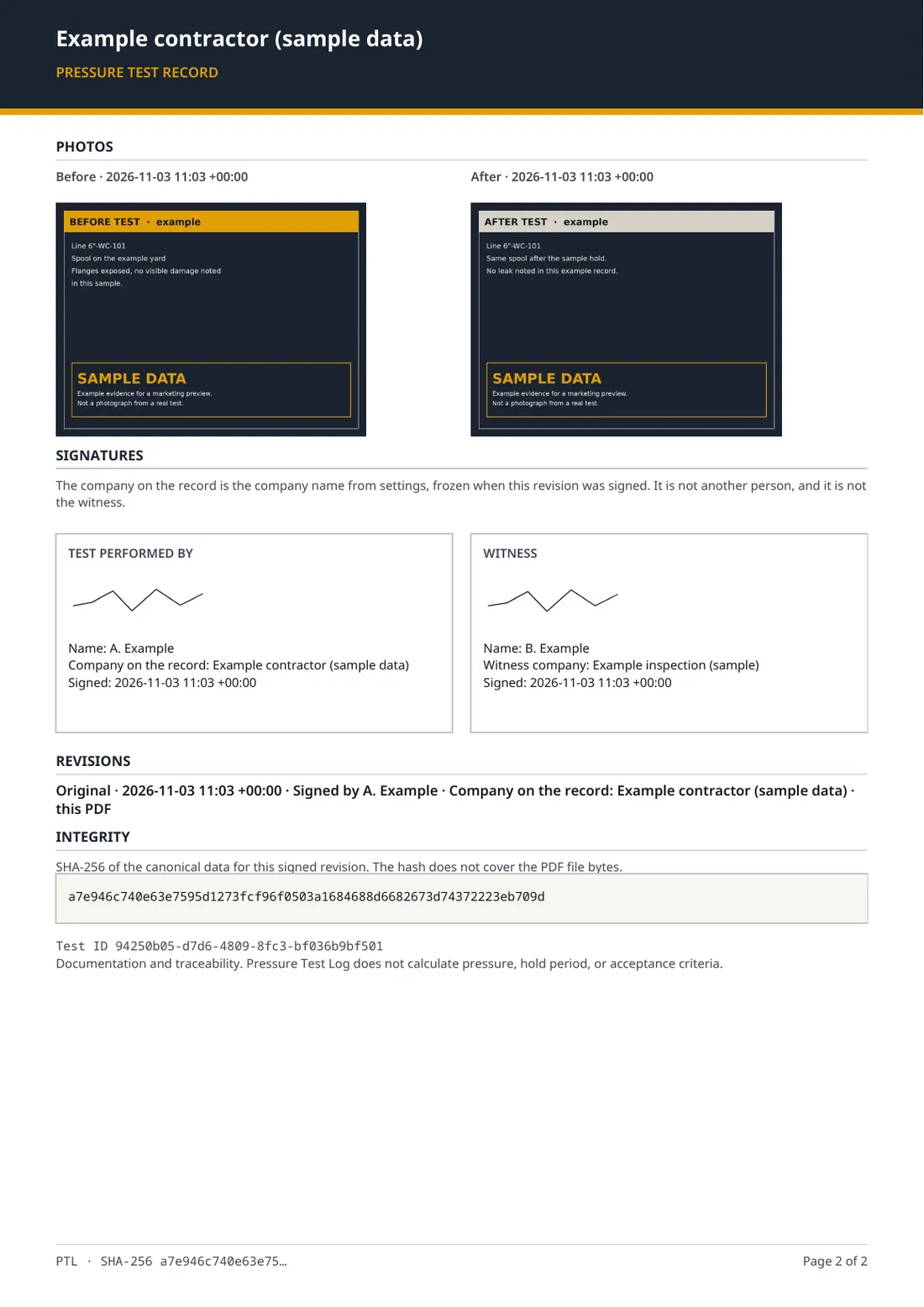
A signed record can be shown or downloaded as a PDF titled Pressure test record. The file carries the project, the test object, the recorded values, the result, the gauges, the photos, the signatures, the revision list, and a SHA-256 hash.
The hash is of the canonical data for that signed revision. It is not a hash of the PDF file itself. You can copy it from the record.
The original stays when you correct a record. A revision needs a reason and the name of the person revising. It is signed again. Signed revisions cannot be deleted, and a job that contains signed records cannot be deleted. Drafts can.
Company name and an optional logo come from settings and are frozen into the revision. The mark on the sample report is an example, not a company logo.
International use
The screen language defaults to English. Norsk is on the same control, in the sidebar and in Settings. The choice is stored on the device. It sets the screen text. PDF language is chosen separately, when the record is shown.
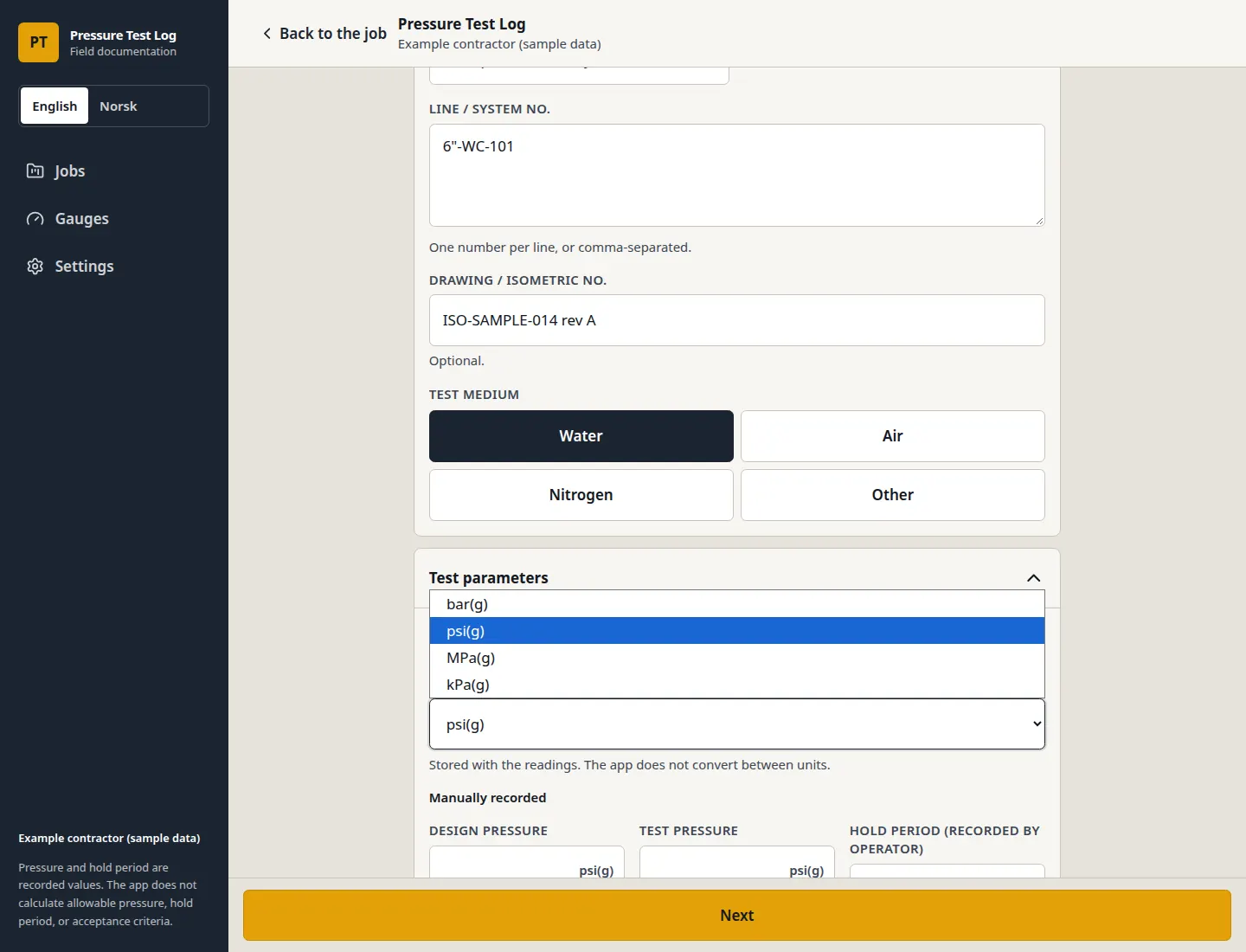
Each test has one pressure unit: bar(g), psi(g), MPa(g), or kPa(g). The same list is used for the gauge range. The app stores the unit with the readings and does not convert between them. Changing the unit clears pressures already entered. The numbers are not recalculated.
An older record that has no stored unit is shown as bar(g). The numbers on that record are left as they were.
Who it’s for
Written for test operators, QC inspectors, contractors, and technical staff who document pressure tests on industrial piping — including work in the North Sea, the UK, and Norway.
Record the hydrotest or other pressure test while the gauge, the readings, and the photos are still in front of you.
Check that the gauge identity, the calibration reference, the hold, and the signatures are in the same record.
Put a traceable PDF into the turnover documentation, and keep the earlier revision if the record is corrected.
Work in the unit and the language the job uses, without the app rewriting the pressures.
Sample report
This file was generated by Pressure Test Log on 3 November 2026. It is the original signed revision of an example record. The pages below are that PDF.
FAQ
On the device, in this browser. Jobs, tests, photos, signatures, the gauge register, and settings are kept locally. Settings states that data is stored only on this device, and that sync between people in the same company is not in this version.
You can export or import every job, test, gauge, and the settings as JSON. Import replaces what is already on that device. Clearing the browser’s site data removes the records unless you have a backup.
After the app has been opened once, it can load again with no network. A service worker stores the app files, and the records stay in the browser. When the device is offline, the screen says that everything is stored on this device. A first visit still needs a connection.
The app can be added to the home screen from Settings, or from the browser menu. That installs the app shell. It does not copy records onto another phone or computer.
English is the default screen language. Norsk is available from the language control. That choice is saved on the device and changes the screen text. The PDF language is chosen when you show the record, so the document can be English or Norwegian independently of the screen.
bar(g), psi(g), MPa(g), and kPa(g). The unit is stored with the readings. The app does not convert between them. If you change the unit, the recorded pressures are cleared, and the numbers are not converted. Gauge range uses the same units.
There is no Pressure Test Log account. The documentation workflow does not upload the test record to a server. Photos, signatures, and gauge data stay in the browser on that device.
The hosted app does load Vercel Web Analytics, which can record that the app was opened. That is a page view of the application, not the contents of a test record. This page is not a security audit, and the product does not carry a security certification.
No. Pressure Test Log is a documentation tool. It does not certify a test, and it does not check compliance with ASME, EN, or any other standard. It does not calculate allowable pressure, hold period, or acceptance criteria. Accepted and Rejected are results entered by the operator.
A gauge-unit acknowledgement only records that a difference was noticed. It does not confirm the gauge is suitable. Calibration due soon does not block signing. An expired calibration can be signed only with a written justification.
There is no data-logger connection and no sync between devices or people. Records do not follow you to another browser unless you export the JSON backup and import it there.
Try it on a real pack
Open the app, create a job, and record one test through to a signed PDF. The record stays on that device. If you want a finished example before you enter your own, Settings can load demo data: one job, two gauges, and one signed test. That demo is example data supplied with the app, not a customer.